
Official government website affiliated with the government of the Kingdom of Saudi Arabia


Official Saudi government website links end with gov.sa
All official educational website links in the Kingdom of Saudi Arabia end with sch.sa or edu.sa

Government websites use HTTPS protocol for encryption and security.
Secure websites in the Kingdom of Saudi Arabia use HTTPS protocol for encryption.


Digital Libraries
 Posted in 2013-06-16
National Center Digital Library

Saudi Digital Library is largest academic congregation of information sources in the Arab world, with more than 114 thousand scientific references, covering all academic disciplines, and a continuous updating of this content; therefore it leads to achieving cognitively huge accumulation. The library has contracted with more than 300 international publishers.
The library won the award for Arab Federation for Libraries and Information 'Learn' for outstanding projects in the Arab world in 2010. The library provides all Saudi Universities one umbrella and King Abdul Aziz University, is one of the universities which seeks to offer this service for its students and employees.
You can access the login page of the National Center Digital Library through the following link
Instructions for using the National Center Digital Library
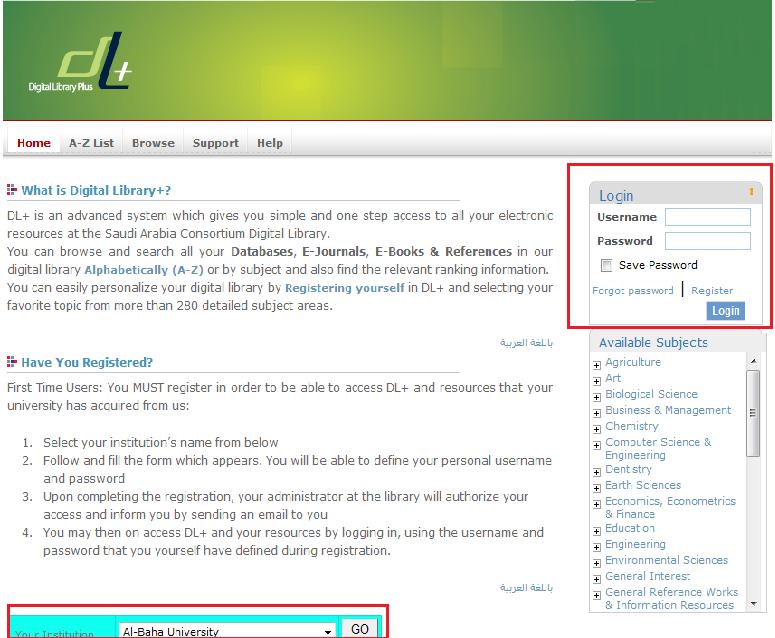
The next screen will appear for you through which you can access directly or by clicking (New Users)
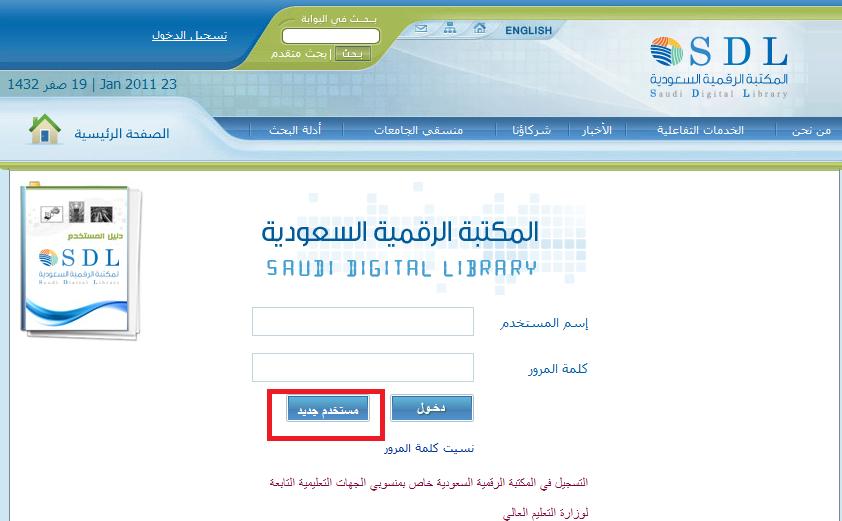
After choosing a new user you'll see a page of your university. If you are a registered student at the University of King Abdul Aziz you must choose King Abdul Aziz University
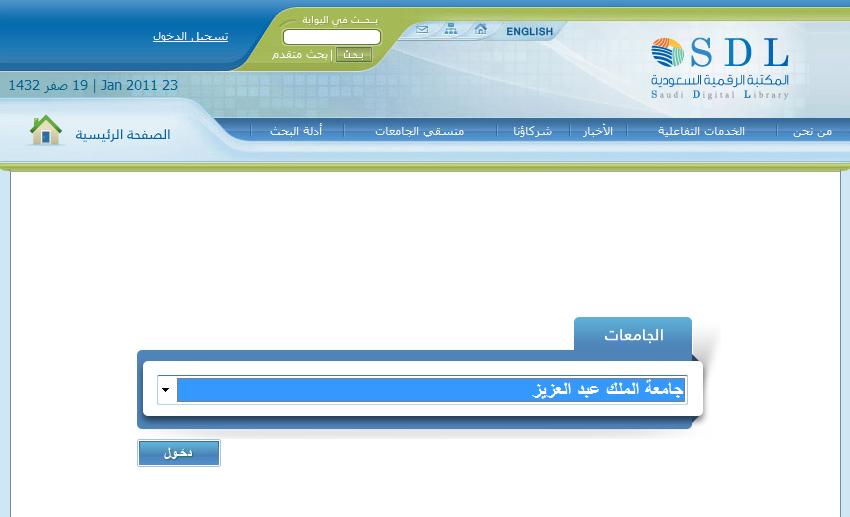
After choosing your university you have to enter your user name and password which are your University ID and password or your Employee ID and password if you are an employee at the university
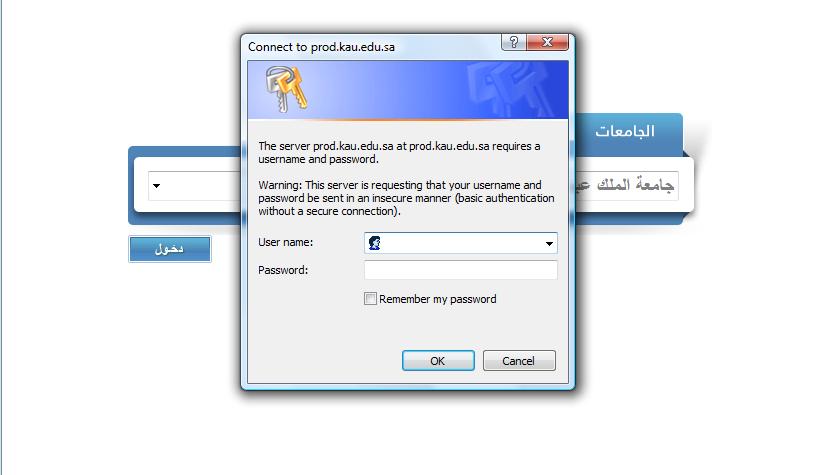
After you enter your user name and password your university page will appear with a link to the digital library, as in the following screen
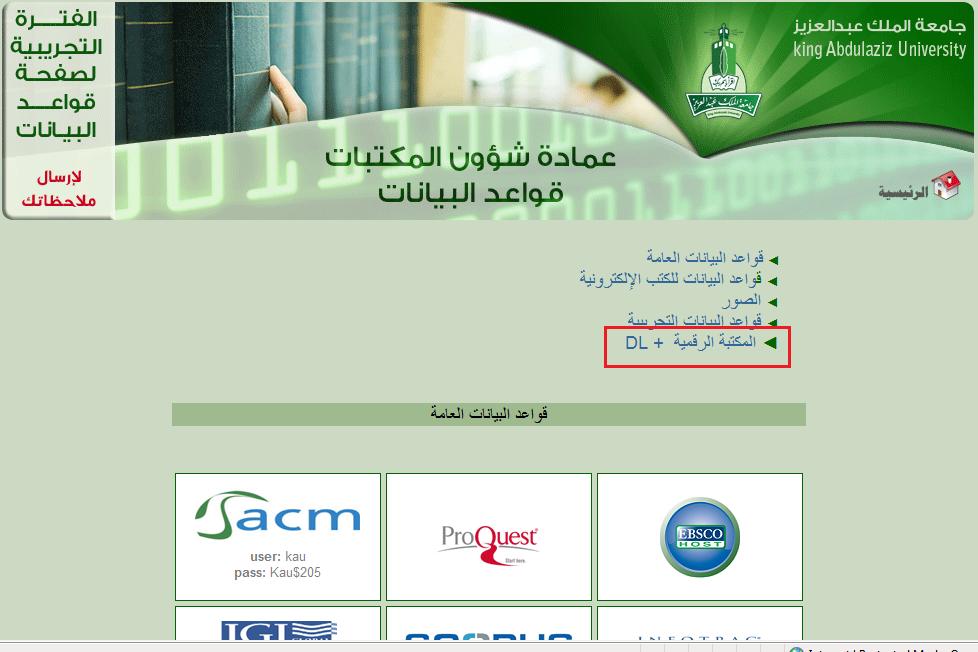
After clicking on the digital library link the following screen will appear so that you can use all the references and e-books. you can login by entering your username and password and choosing your university directly, as in the following screen

Share your opinion and contribute to improvement.
0 of 67 visitors liked the page content (0% Visitor Satisfaction Index)